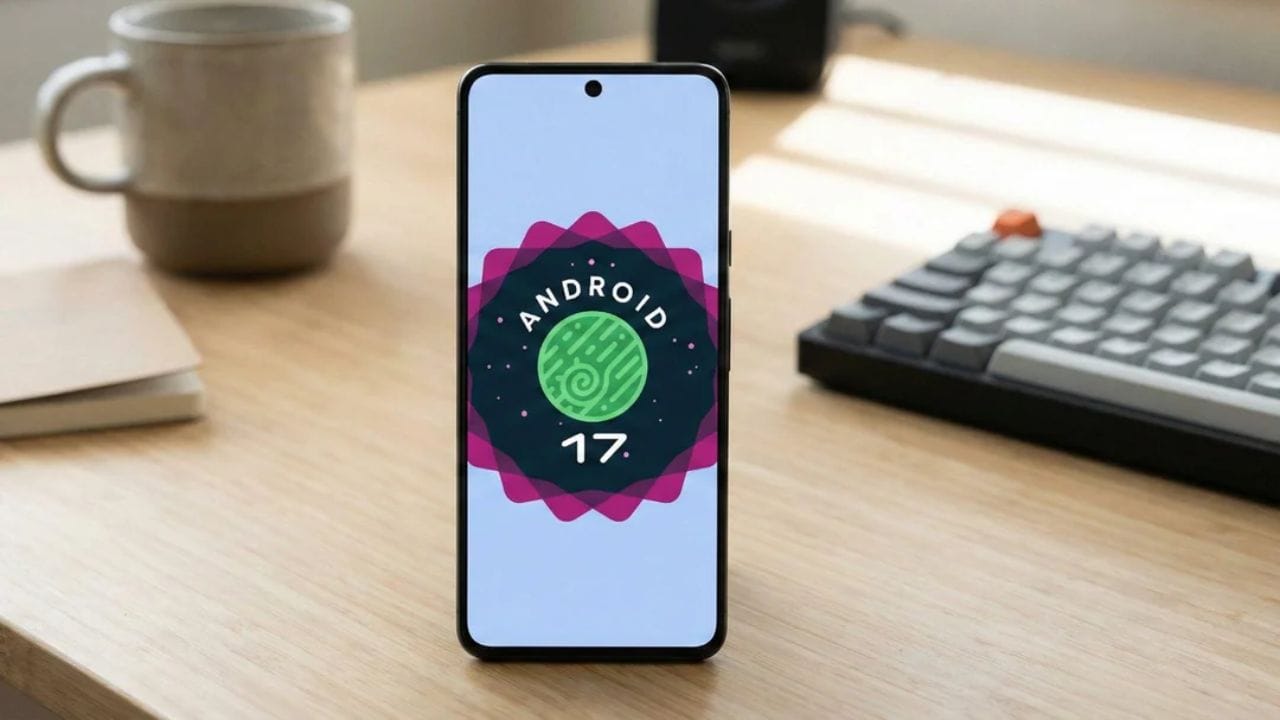
Google has released the first public beta of Android 17, offering developers and early adopters access to the next version of its mobile operating system.
The update introduces refinements focused on performance optimisation, privacy controls and developer tools. It also marks a change in how Google delivers early builds, replacing the traditional Developer Preview programme with a continuous Canary channel.
Android 17 Beta 1 is now available for supported Pixel smartphones enrolled in the Android Beta Programme.
Performance
Android 17 continues Google’s focus on improving system efficiency and background task management.

The beta includes system-level optimisations aimed at better multitasking and improved power efficiency. According to Google, apps should run more efficiently, particularly when multiple processes are active in the background.
Enhancements include:
- Improved background task scheduling
- Better memory allocation for multitasking
- Refined power management to extend battery life
The update also enforces restrictions on the size of custom notification views to reduce memory usage. This change closes a loophole that previously allowed some apps to bypass limits using URIs. The behaviour applies to apps targeting API level 37 and above.
Privacy
Privacy and security remain central to Android’s development roadmap. Android 17 Beta 1 introduces refinements to permission management, offering users clearer visibility into how apps access sensitive data.

Users can expect:
- Improved controls for location access
- More transparent microphone and camera permissions
- Enhanced privacy indicators
The audio framework now enforces stricter rules on background audio interactions. This includes limitations on audio playback, audio focus requests and volume change APIs. Google states that these changes ensure such actions are initiated intentionally by the user rather than automatically by apps.
Media
For media and content creators, Android 17 brings support for the Versatile Video Coding standard. VVC is designed to deliver higher compression efficiency compared to previous codecs, potentially improving video quality at lower bitrates.
Professional-grade tools for media and camera applications have also been expanded. These include:
- Seamless transitions in camera processing
- Standardised loudness control
- Enhanced media pipeline stability
These additions aim to provide developers with more consistent frameworks for building advanced multimedia apps.
Interface
While Android 17 does not introduce a major visual redesign, it includes interface refinements intended to improve fluidity.
Notable UI improvements include:
- Smoother system animations
- Refinements to notifications behaviour
- Adjustments to Quick Settings responsiveness
Support for large-screen devices has also been strengthened. Google has removed the opt-out option for orientation and resizability restrictions on larger displays. This ensures better scaling and layout adaptability on foldables and tablets, improving app compatibility across device categories.
Developer Changes
A significant structural change accompanies Android 17. Google has replaced the traditional Developer Preview phase with a continuous Canary channel. This allows developers to access early builds in a more ongoing manner, rather than in separate preview cycles.
The API behaviour changes introduced in this beta are gated by target SDK version. Apps targeting API 37 and above will be subject to the new memory and notification restrictions.
Supported Devices
Android 17 Beta 1 is available for eligible Pixel smartphones enrolled in the Android Beta Programme.
Supported models include:
- Pixel 10 series
- Pixel 9 series
- Pixel 8 series
- Pixel 7 series
- Pixel 6 series
Availability may vary depending on region and carrier.
Installation
To install Android 17 Beta 1 on a compatible Pixel device:
- Visit the Android Beta Programme website.
- Sign in with your Google account.
- Select your eligible Pixel device and opt into the programme.
- On your phone, go to Settings > System > Software Update.
- Check for updates and download the beta when available.
Once installed, the device will receive subsequent beta updates over the air.
Users should note that beta software may contain bugs or stability issues. It is generally recommended for developers and experienced users rather than as a primary daily-use device.
Android 17 Beta 1 focuses on refinement rather than dramatic changes. With performance improvements, stronger privacy controls and expanded support for large-screen devices, the update signals Google’s continued effort to optimise Android’s core functionality while preparing the platform for future hardware developments.
FAQs
What is new in Android 17 Beta 1?
Performance, privacy and media improvements.
Does it support VVC codec?
Yes, VVC support is included.
Which phones are compatible?
Pixel 6 to Pixel 10 series.
Is it safe for daily use?
Beta may have bugs and instability.
How to install the beta?
Enroll via Android Beta Programme.