Apple has officially rolled out the iOS 26.2 update for iPhone users, bringing a fresh batch of customisation options, app improvements, and accessibility features.
Following several weeks of beta testing, this marks the second major update since the launch of iOS 26 back in September. So, what’s new in this release? Quite a bit — from lock screen upgrades to smart AirDrop security and offline lyrics in Apple Music.
Let’s unpack everything new in iOS 26.2.
Installation
Updating to iOS 26.2 is simple and can be done in just a few steps. If you’re already enrolled in Apple’s beta programme, or if you’re running a recent version of iOS 26, you’re eligible for this latest update.

Here’s how to update:
- Open Settings on your iPhone
- Tap General > Software Update
- Wait for the system to check for the update
- Tap Download & Install
- Accept the terms and let the update process complete
Your iPhone may reboot a few times during the process, so make sure it’s charged or plugged in.
Music
One of the standout changes in iOS 26.2 is in Apple Music. Two notable updates are now live:
- A Favourite Songs playlist now appears in the Top Picks section of the app’s homepage.
- Apple Music now supports offline lyrics, meaning you can view song lyrics even without an internet connection.
Offline functionality like this makes the app more usable on flights, road trips, or in low-coverage areas — perfect for music lovers on the move.

Customisation
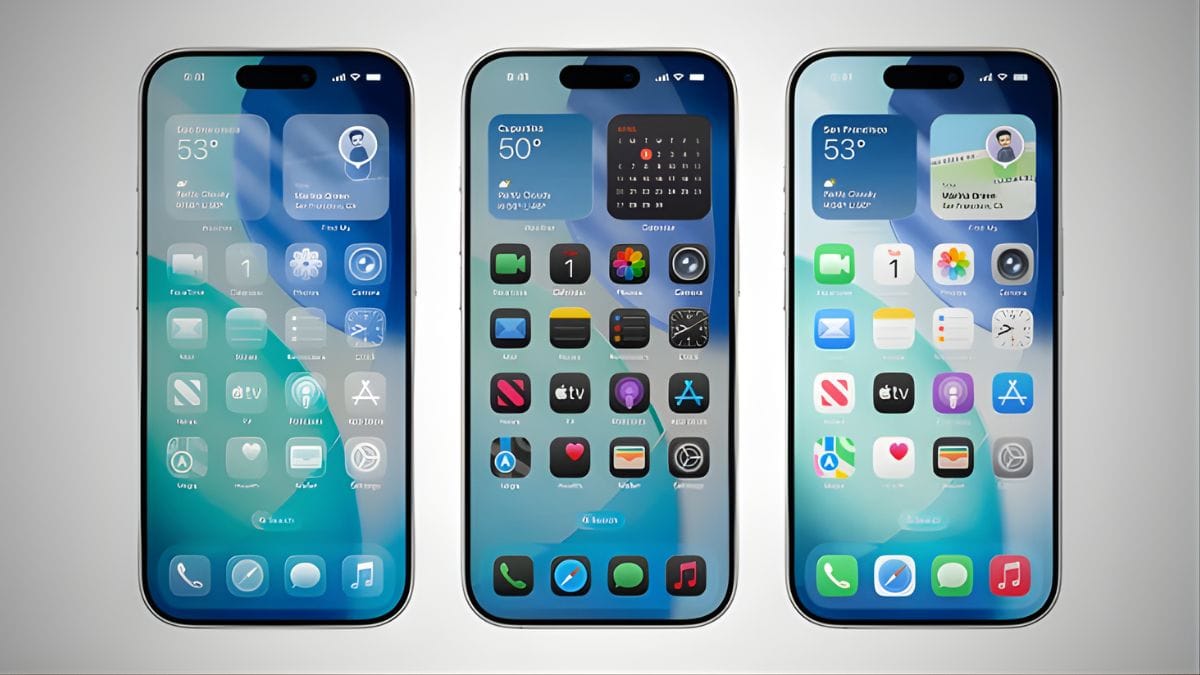
If you’re a fan of tweaking your iPhone’s look, the new Liquid Glass UI customisation will be right up your alley. You can now adjust the opacity of the lock screen clock when using the Liquid Glass theme, giving users more visual control over their phone’s aesthetic.
This is a small but welcome update for people who care about design and lock screen personalization.
Safety
Apple is also expanding its Enhanced Safety Alerts, but this one’s a US-exclusive feature for now. These alerts notify users about real-time emergencies like floods, wildfires, or other disasters. The alert includes maps of affected areas and links to emergency resources — pretty handy in critical situations.
While this is only available in the US, it’s expected to roll out globally in future updates.
Reminders
The Reminders app is getting a smarter set of tools in iOS 26.2. Now, you can set alarms for your reminders — a big help for staying on top of urgent tasks. You can also snooze those alarms and keep track using Live Activities, making this feature more dynamic and actionable.
This makes Reminders feel more like a fully-fledged task manager rather than just a to-do list.
AirDrop
In iOS 26.2, AirDrop becomes more secure. Now, if you try to send files to someone not in your contacts, the receiving user must input a verification code displayed on your device. This added security helps prevent unwanted or mistaken transfers — especially in public spaces.
Podcasts
Apple Podcasts gets a quality-of-life improvement with auto-generated chapters. This lets users jump between different parts of an episode with ease. There’s also a new feature that links directly to mentioned podcasts, allowing listeners to explore and follow related shows without leaving the player.
For podcast fans, it’s a great way to discover new content quickly.
Games
Gamers, you haven’t been left out. The Games app now includes filters that let you sort titles by genre, size, and more. On top of that, there are in-game challenge score banners that update in real-time, giving you live performance stats.
Also, there’s improved support for connected controllers like Backbone and Razer, so your mobile gaming setup just got a serious upgrade.
Here’s a quick feature table:
| Feature Area | Update Highlights |
|---|---|
| Apple Music | Favourite Songs in Top Picks, Offline Lyrics |
| Lock Screen | Opacity controls for Liquid Glass clock |
| Reminders | Alarm support, snooze, Live Activities |
| AirDrop | Code verification for unknown recipients |
| Podcasts | Auto-chapters, links to mentioned shows |
| Games | Filters, score banners, controller support |
| Safety Alerts | Emergency alerts with maps (US only) |
Accessibility
For users relying on accessibility tools, iOS 26.2 includes a new option that allows the screen to flash as an alert, enhancing visibility for users who are hearing impaired.
Home App
Apple has also simplified smart home setup. When adding accessories in a multipack (like a set of smart plugs or bulbs), you can now reuse the same setup code, saving time and avoiding frustration.
News
Lastly, iOS 26.2 adds a shortcut link to Apple News at the top of your Today Feed, offering faster access to trending headlines and curated news stories.
From visual tweaks to privacy and performance updates, iOS 26.2 brings a little something for every kind of user — whether you’re into music, gaming, planning, or just want your iPhone to look and feel better.
FAQs
How do I install iOS 26.2?
Go to Settings > General > Software Update and tap Download & Install.
Can I view Apple Music lyrics offline?
Yes, iOS 26.2 lets you view downloaded lyrics without the internet.
What’s new in AirDrop security?
Now, sending to unknown users needs a verification code.
Does iOS 26.2 improve podcasts?
Yes, with auto-chapters and links to mentioned podcasts.
Is Enhanced Safety Alerts global?
No, it is currently available only in the US.