Android gaming has traditionally relied on emulators to bring PC titles to mobile devices. However, compatibility has often been limited, particularly for devices that do not use Qualcomm’s Adreno GPUs. Pixel smartphones, which use different graphics architectures, have generally faced constraints in this area. A recent update to the GameNative emulator aims to address this gap.
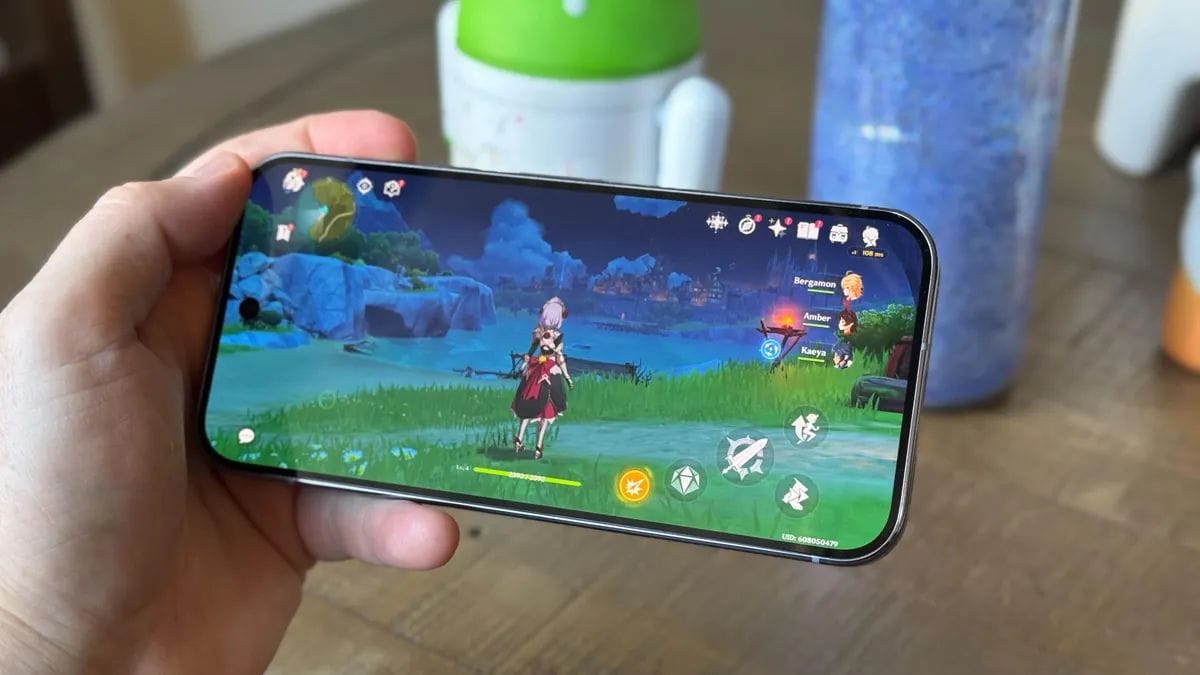
With the release of GameNative 0.9.0 in its pre-release form, initial support has been introduced for the PowerVR GPU found in the Tensor G5 chipset powering the Pixel 10. This development allows users to run select Steam games directly on their device, including in offline scenarios.
Support
The addition of PowerVR GPU compatibility represents a notable shift in emulator support. Historically, emulator development has focused on Adreno GPUs due to their widespread use in Android devices. While some support has existed for Mali GPUs, other architectures have received limited attention.
By enabling compatibility with the Pixel 10’s GPU, GameNative expands access to PC game emulation for a broader range of users. This change allows Pixel users to run games from the Steam platform more reliably than before.

Titles such as Stardew Valley and Hades have been cited as examples that can now run on the device using the updated emulator. Performance may vary depending on the game and system load.
Features
GameNative 0.9.0 introduces several new features alongside GPU support. These updates are aimed at improving usability and expanding functionality for users who rely on the emulator for gaming.
Key additions include:
- A redesigned carousel-style user interface for easier navigation
- Integration with Steam Workshop for accessing community content
- Support for multiple Steam branches
- Dedicated sections for managing downloads and storage
- Option to disable cloud saves on a per-game basis
These changes suggest a focus on creating a more structured and user-friendly environment within the emulator.
Desktop
Another significant addition is support for desktop-like environments. The emulator now works with platforms such as Samsung DeX and similar OEM desktop modes.
This enables users to connect their Pixel 10 to an external monitor and use peripherals like a mouse and keyboard. Improvements in input handling and navigation aim to provide a more consistent experience in such setups.
For users who prefer gaming on a larger screen, this feature may enhance overall usability compared to earlier versions.
Performance
The update also includes enhancements related to performance monitoring and stability. A new battery temperature metric has been added to the performance overlay, allowing users to track thermal conditions during extended gaming sessions.

Additional improvements include:
- Fixes for Steam cloud save synchronization issues
- Resolution of crashes occurring when pausing games
- Better compatibility with external input devices
These updates are intended to make gameplay more stable, though performance will still depend on hardware limitations and game requirements.
Limitations
It is important to note that GameNative 0.9.0 is currently a pre-release version. As such, users may encounter bugs, performance inconsistencies, or incomplete features.
Pre-release builds are typically used for testing and feedback, and further refinements are expected before a stable public version is released. Users interested in trying the emulator should be aware of these limitations and proceed accordingly.
Outlook
The introduction of PowerVR GPU support in GameNative marks a step toward broader compatibility in Android-based PC game emulation. For Pixel 10 users, this update opens up new possibilities for running Steam games directly on their devices, including in offline environments.
While the feature set is still evolving, the current update indicates ongoing progress in bridging the gap between mobile hardware and PC gaming ecosystems. Future updates are likely to improve stability, expand compatibility, and refine the user experience further.
FAQs
Can Pixel 10 run Steam games now?
Yes, via GameNative emulator.
Which GPU is supported in update?
PowerVR GPU on Tensor G5.
Is GameNative 0.9.0 stable?
No, it is a pre-release build.
Can games run offline on Pixel 10?
Yes, supported in emulator.
Does it support keyboard and mouse?
Yes, with improved compatibility.